

Start with your vision.
A set to complete. A favourite artist. A page full of your favourites. Build around what you love.
 BindlrComing soon
The binder you’ve imagined.
The collection you’ve built.
One app to bring it all together.
iPhone & iPad Coming soon
Different worlds. One home.



AT A GLANCE
Catalogue totals include English and Japanese entries. Sets are counted separately for each language.
THE MAIN EVENT
You know exactly how that page should look.
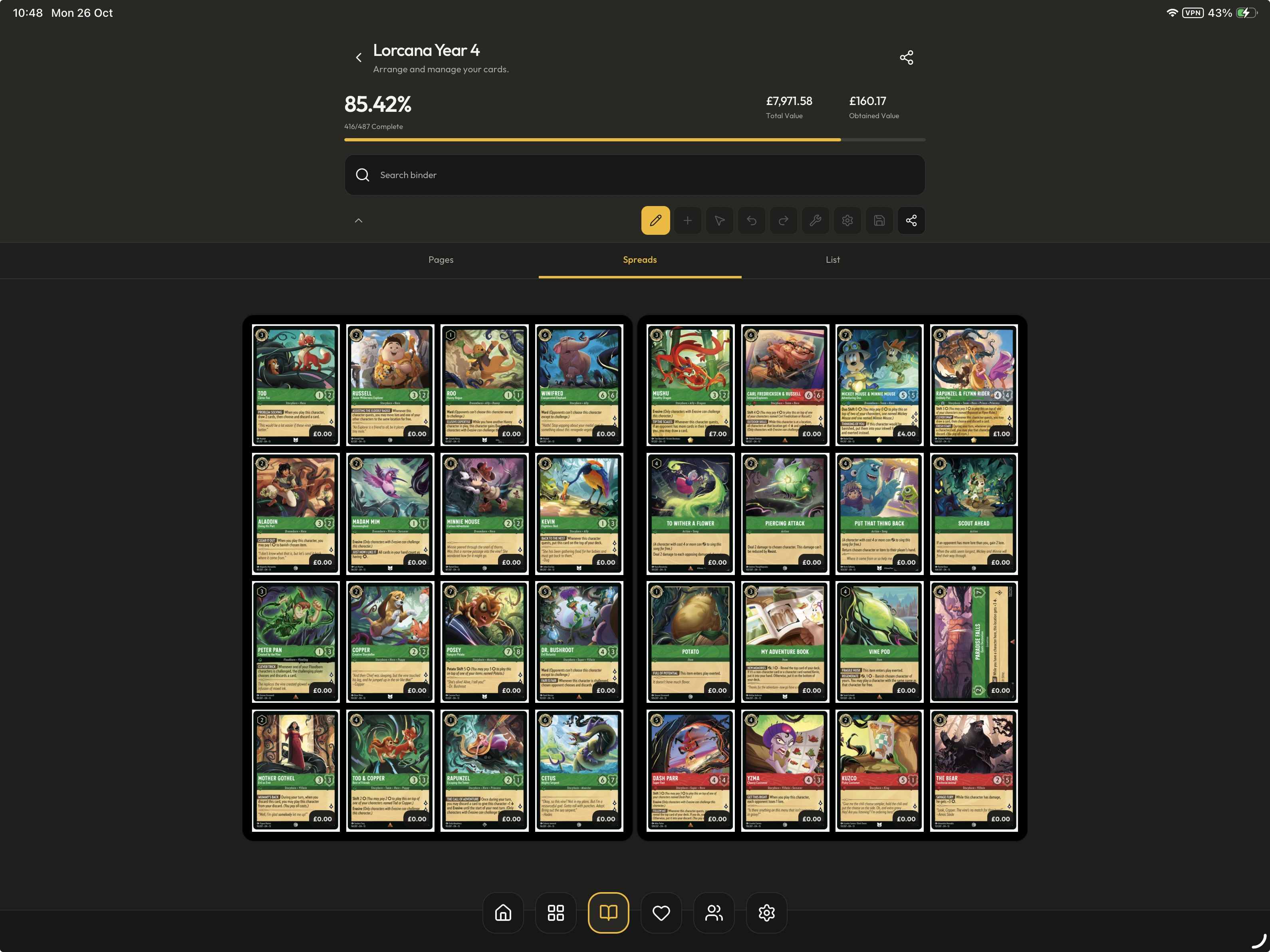
Now you can build it. Plan your layout, find the perfect spot for each card and make every page your own.
Two spreads. Your layout. Try editing it.
Shuckle artwork by abi_saam
This is a representation of the Bindlr binder builder, with some features limited or unavailable. The in-app experience may differ.
A set to complete. A favourite artist. A page full of your favourites. Build around what you love.
Arrange your pages and customise your layouts. Add a custom binder cover to make it yours, inside and out.
Link a wishlist to your binder and keep it up to date automatically as your binder changes and you fill those missing pockets.
Give every binder its own identity with a cover image you choose.
Plan expressive pages with cards, custom artwork and space to let your favourites stand out.
Binder-linked wishlists automatically track what’s still missing.
IPHONE & IPAD SUPPORTED
Designing binders is easier on iPad, with a bigger canvas to see your pages and arrange your cards. Keep your collection close on iPhone when you’re out collecting.


Use the extra space to plan layouts, compare facing pages and give every card its place.
Keep your binders, wishlists and collection overview within reach while you’re out.
Back up your collection to the cloud, then restore it on your other device when you’re ready to switch.
Learn about cloud backupsTHE BIG PICTURE
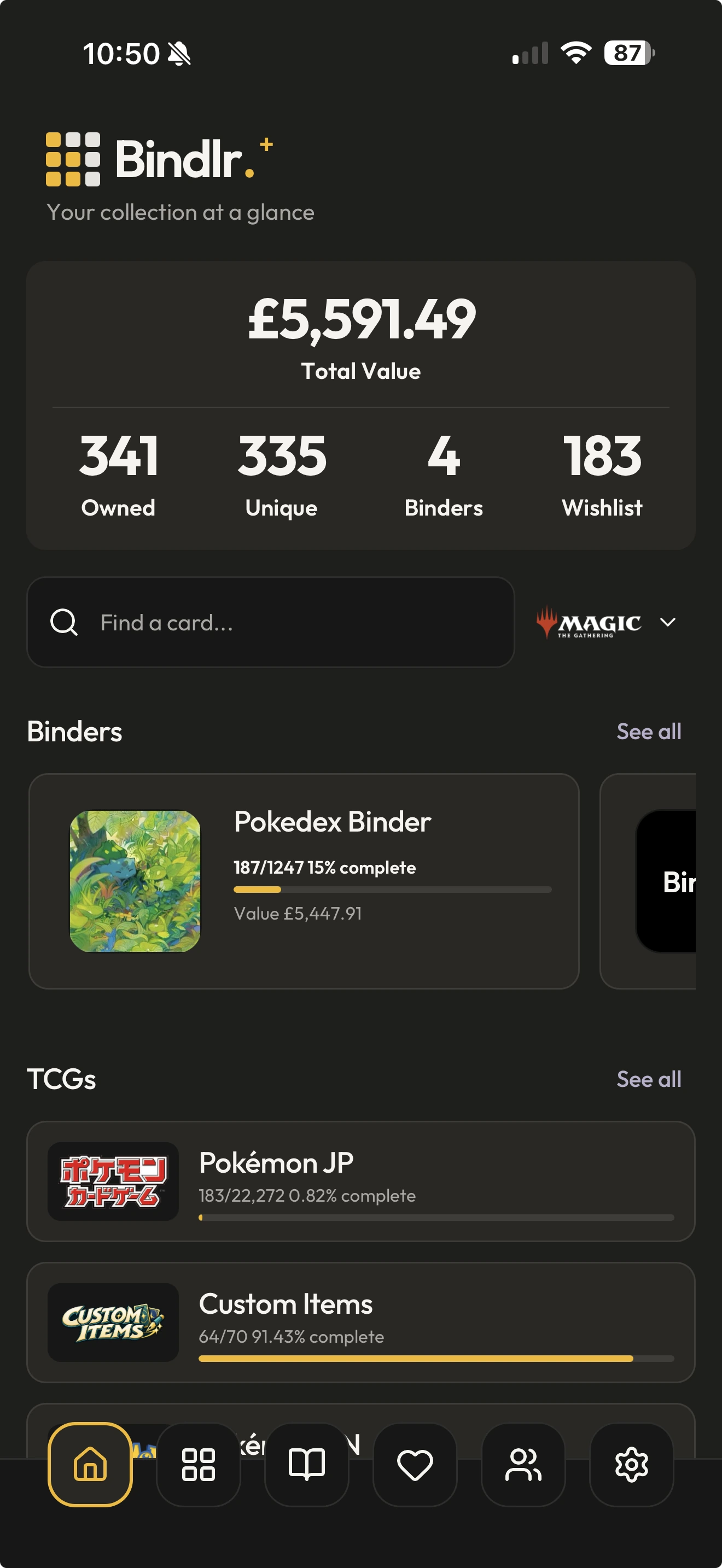
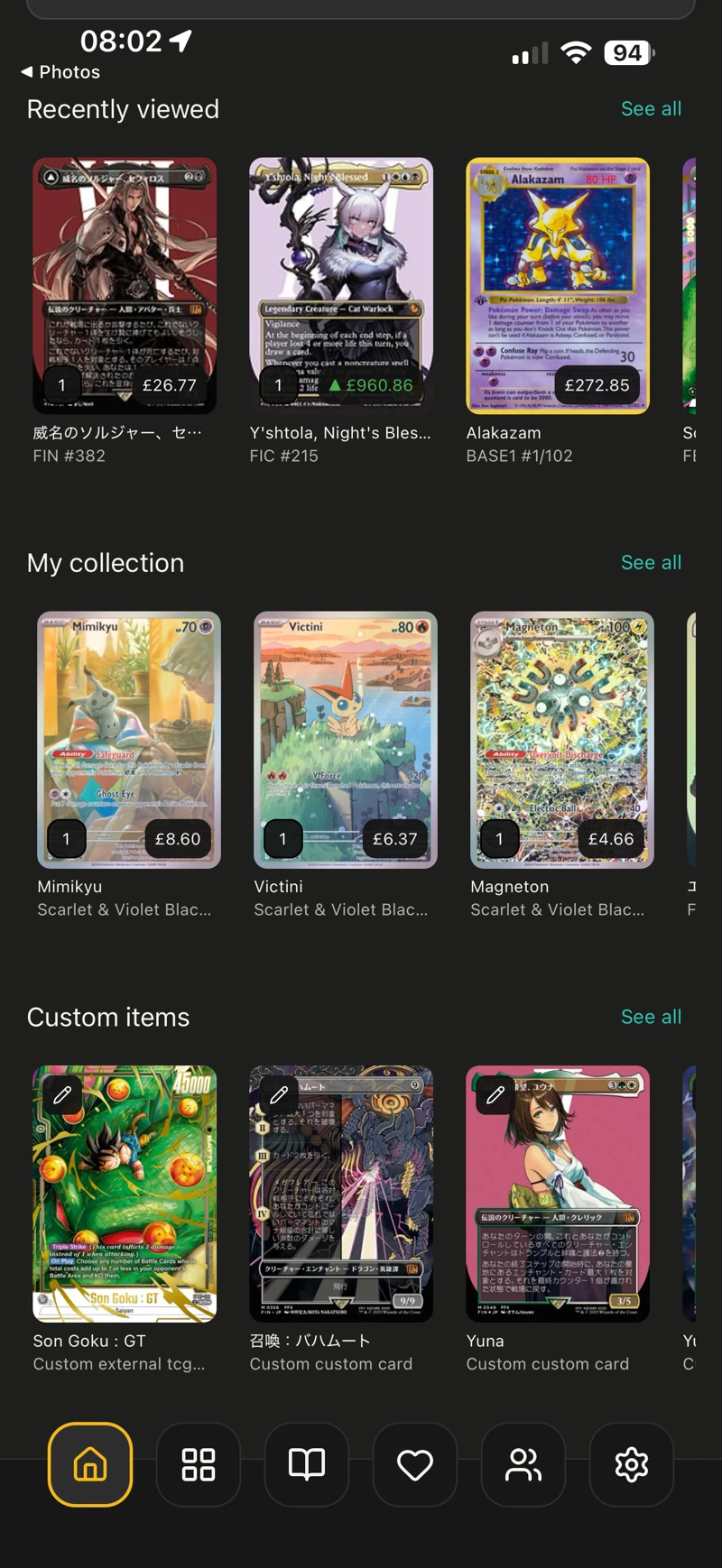
From your latest additions to the value of the cards you own, your home screen brings your collection together.
Keep your total collection value in view, with pricing alongside the cards you collect.
See your cards, binders and wishlists together, then pick up where you left off.
Spend less time hunting through lists and more time enjoying what you’ve built.
BEYOND THE BINDER
Create and track your own custom TCGs, sets and cards. From a game you’ve made to custom artwork you love, there’s a place for it in Bindlr.
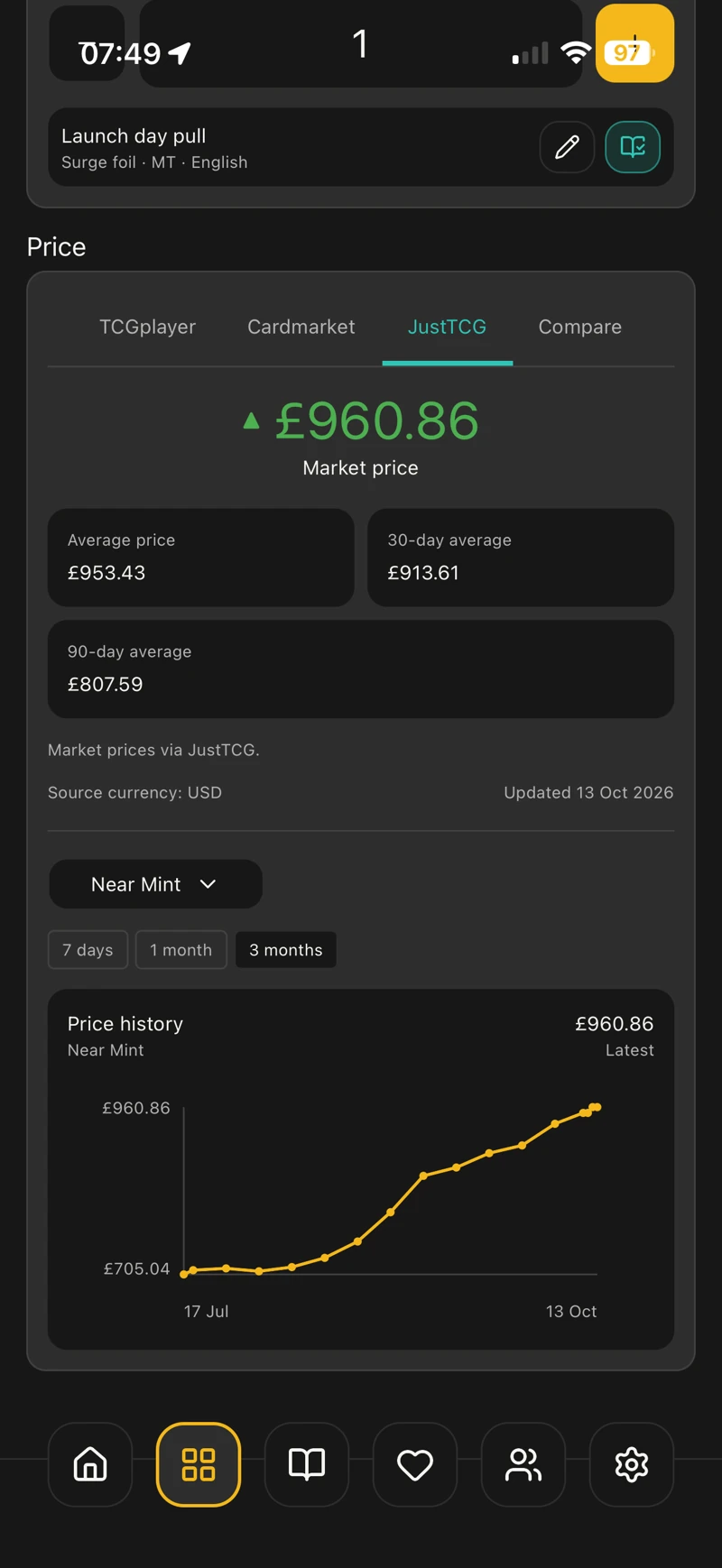
Pricing from multiple sources, including Kupo DB for Final Fantasy TCG and Scryfall for Magic: The Gathering. Choose where displayed prices come from—even a different source for each TCG.
Export your collection to Excel, update the editable fields in bulk, then import the workbook back into Bindlr and review your changes.
MULTI-SOURCE PRICING
Compare pricing from TCGplayer, Cardmarket and JustTCG, with Kupo DB for Final Fantasy TCG and Scryfall for Magic: The Gathering. Choose the source used for the prices you see, right down to each TCG.
Explore pricing and comparisonsGET TO KNOW BINDLR
Explore what the app can do, with short guides for every part of your collecting world.
A LITTLE EXTRA
A standard 3 × 3 binder and socials, free for everyone. More binder layouts, custom binder colours and custom TCGs with Bindlr+.
£2.99 monthly or £24.99 yearly. Choose the way you want to collect.
Compare plansStandard 3 × 3 binder. Social feed, messaging and sharing.
£0 · Free basicsAdditional binder layouts, custom binder colours and custom TCGs.
£2.99 / month or £24.99 / yearGOOD TO KNOW
Bindlr is an app for iPhone and iPad. This website is where you can get to know it before launch.
Plan your binder pages, arrange cards, customise layouts and choose your own binder covers. Bindlr also supports the Michi method and binder-linked wishlists that update automatically as your binder changes.
There’s more than one world to collect. Bindlr brings together games including Pokémon, Magic: The Gathering, Disney Lorcana, One Piece, Final Fantasy and Weiss Schwarz.
Bindlr uses multiple pricing sources, including Cardmarket, TCGplayer and JustTCG, plus Kupo DB for Final Fantasy TCG and Scryfall for Magic: The Gathering. Available sources and pricing coverage depend on the game, card and variant.
Yes. Plan pages that bring cards and custom artwork together, with intentional gaps to frame your favourites. Read an introduction to the Michi method
Yes. Export a collection workbook (.xlsx), edit the yellow cells on the All Cards sheet and upload the workbook to preview and apply your changes. You can update details such as notes, tags, condition and purchase information. Importing does not add, remove or move cards.
Share binders and wishlists for collaborative collecting, post updates in the social feed and message friends inside the app.
Yes. Create your own custom TCGs, sets and cards, including your own artwork, and keep track of them alongside your other collections.
Yes. Download data for an entire TCG, individual sets, or your binders and wishlists while you have an internet connection. You can then access the downloaded data offline, so your collection is with you even when there’s no signal.
We’re getting Bindlr ready for release. It’s coming soon on iOS. Download links will appear here when the app is available.
YOUR NEXT CHAPTER IN COLLECTING
Build it. Track it. Share it.
Take your collection with you.
A little more organised. A lot more you.

YOUR PEOPLE. YOUR SHARED OBSESSION.
A collection worth
sharing.
Bring friends and family into your collecting world. Plan together, share what you love and keep the conversation going, all in the app.
Explore social featuresCollect together.
Share binders and wishlists with friends and family for collaborative collecting. Let them see what you’re building and what’s still on your list.
Post it. Share it. Enjoy it.
Share your latest additions, favourite pages and collecting updates in the social feed. See what other collectors are posting, too.
Message your friends.
Talk cards, catch up on your latest finds and plan the next addition with messages inside Bindlr.